
diados
Extension of the Day

diados

5.0 FREE
  • Screenshot 1

Description

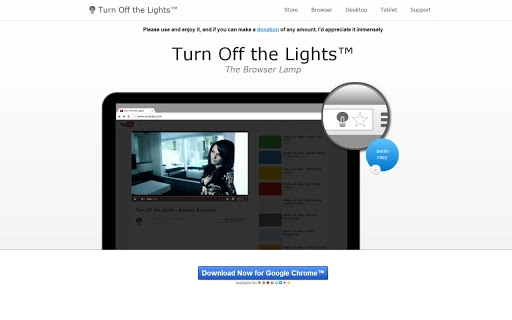
When you install this app, you can read more about how to use this FREE Turn Off the Lights Chrome extension. Such as how to change color, atmosphere lighting, dynamic background and more... What's Turn Off the Lights? It's an extension that add a lamp button in the omnibox, and when you click on the lamp button, the page will be fading to dark. And automatic highlight the video player. Click again, the page will return back as normal. Few great features in this Chrome extension: ✓ Turn the lights back on, by clicking on it ✓ Support multiple video sites: YouTube™, HTML5 video,... and more ✓ Easter Eggs: Shortcut key: T -> Do you like a real movie theater? ✓ Option to make the screen dark if the user click on the play button ✓ Option to turn on/off the fade in and fade out effects ✓ Custom colors ✓ Option Flash Detection ✓ Option Show Dimness Level Bar ✓ Option Atmosphere Lighting ✓ Option Eye Protection and more... What's new? + Vivid mode (Atmosphere Lighting) + Camera Motion + Linear Background + etc. And if you have any questions please send us a note (see in the link "Help" in the Turn Off the Lights Chrome extension). Your feedback will help us improve the quality of our information and products. We will take your feedbacks seriously and do what we can to satisfy our users.

Guides & Tutorials for Turn Off the Lights App for Chrome

How to install Turn Off the Lights App for Chrome
  1. Click the Preview / Download button above.
  2. Once redirected, accept the terms and click Install.
  3. Wait for the Turn Off the Lights App for Chrome download to finish on your device.
How to use Turn Off the Lights App for Chrome

This software is primarily used for its core features described above. Open the app after installation to explore its capabilities.

User Reviews for Turn Off the Lights App for Chrome 0

    No reviews found

Similar Apps


